 Twofold
Mermaid ER diagrams for the Mac
Type it or draw it.
It’s still Mermaid.
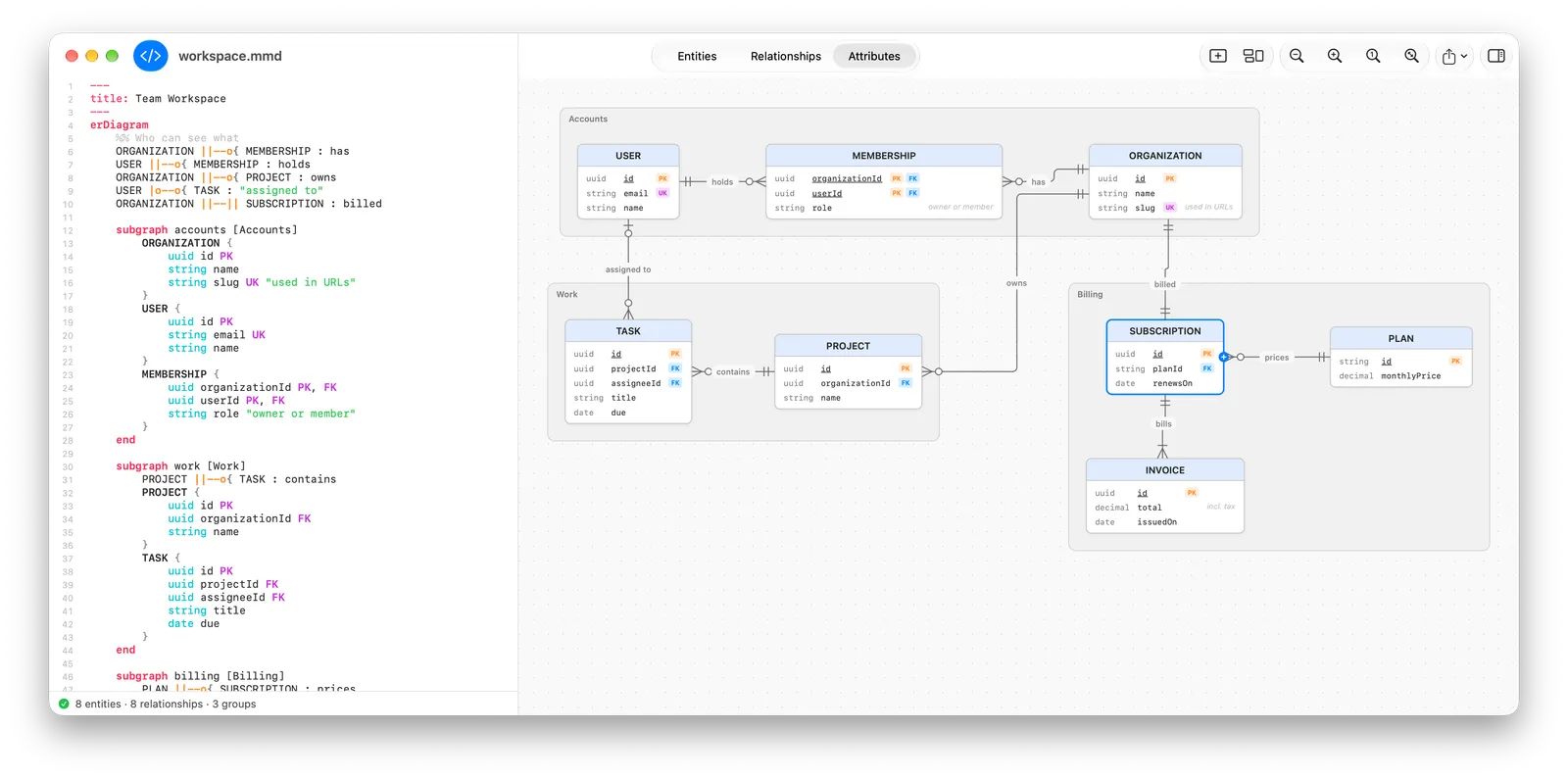
Twofold is a native Mac editor for entity-relationship diagrams. Edit the text or the canvas and both stay in sync, in a Mermaid file or right inside your Markdown docs. It all stays plain Mermaid, so it renders on GitHub, GitLab, Notion, Obsidian and your docs site.
$39, one time · 14-day free trial · macOS 15 or later
Renders anywhere Mermaid does
- GitHub
- GitLab
- Notion
- Obsidian
- MkDocs
- Docusaurus
Text
A real editor for the text
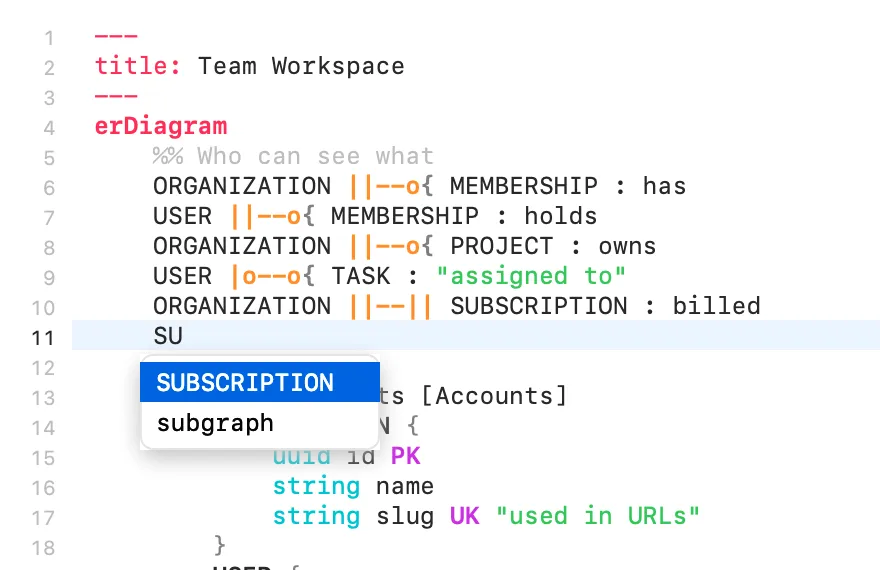
Write the diagram as text, with syntax highlighting, line numbers and autocomplete for entity names, cardinality operators, attribute types and keys. Errors are pinned to their line, and the canvas keeps showing the last version that worked while you fix them.
Select something on the canvas and its lines stay highlighted in the text.
Canvas
Draw without remembering the syntax
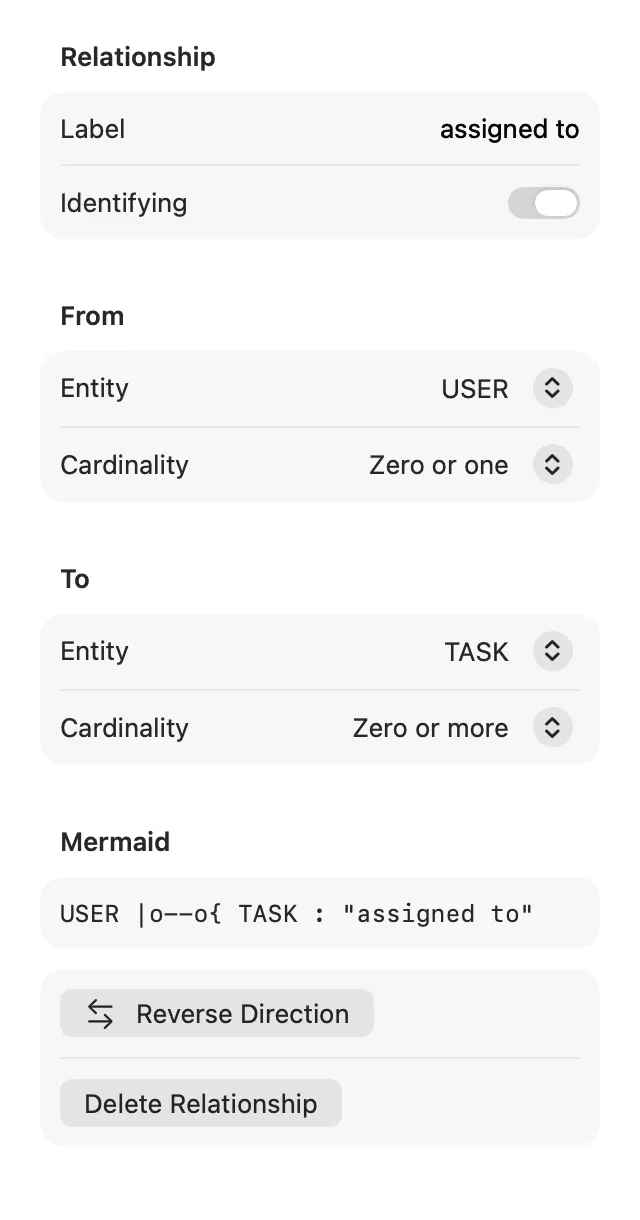
Double-click to add an entity, drag its handle onto another to relate them, and double-click any name, attribute or label to edit it in place. Set each end’s cardinality from a menu or the inspector instead of remembering whether it’s }o..|{ or |o--o{.
Every change is written back into the text, one line at a time, so your comments and ordering stay as they were.
Groups
Organise big schemas by domain
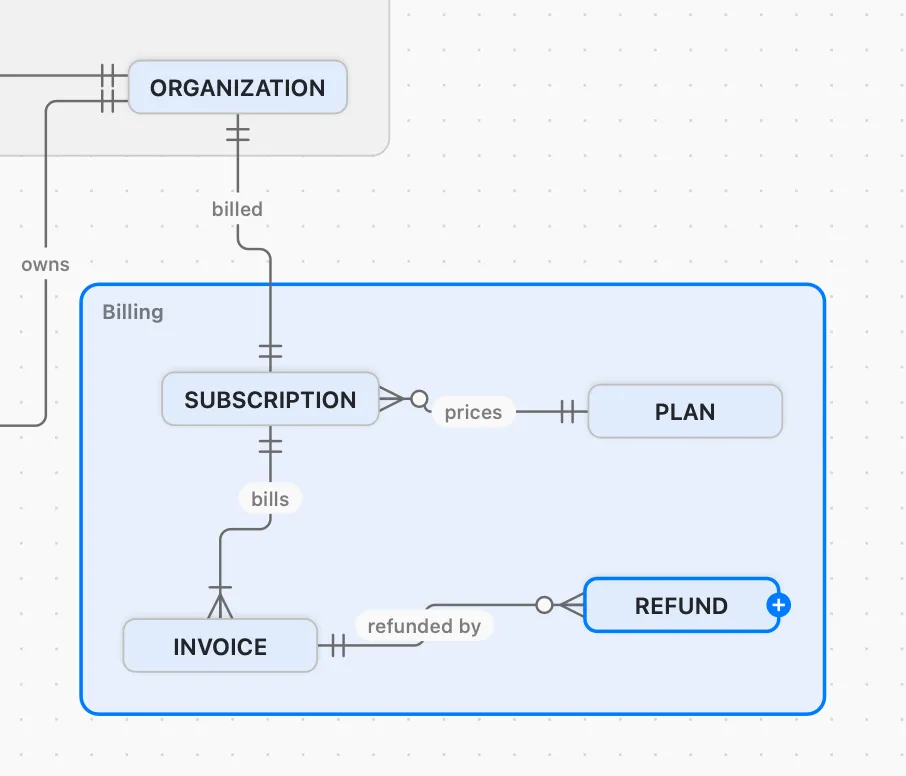
Put related entities in a group, then drag entities in and out of it: the group under the pointer lights up. Nest groups, drag a whole group by its title, and let automatic layout keep each group together.
Groups are Mermaid’s own subgraph, written in the text and kept in step with the canvas, so other tools can read them too.
Detail on demand
The big picture or every column
Switch the whole diagram between three levels of detail with ⌘1, ⌘2 and ⌘3. The compact views keep your arrangement, just drawn closer together.
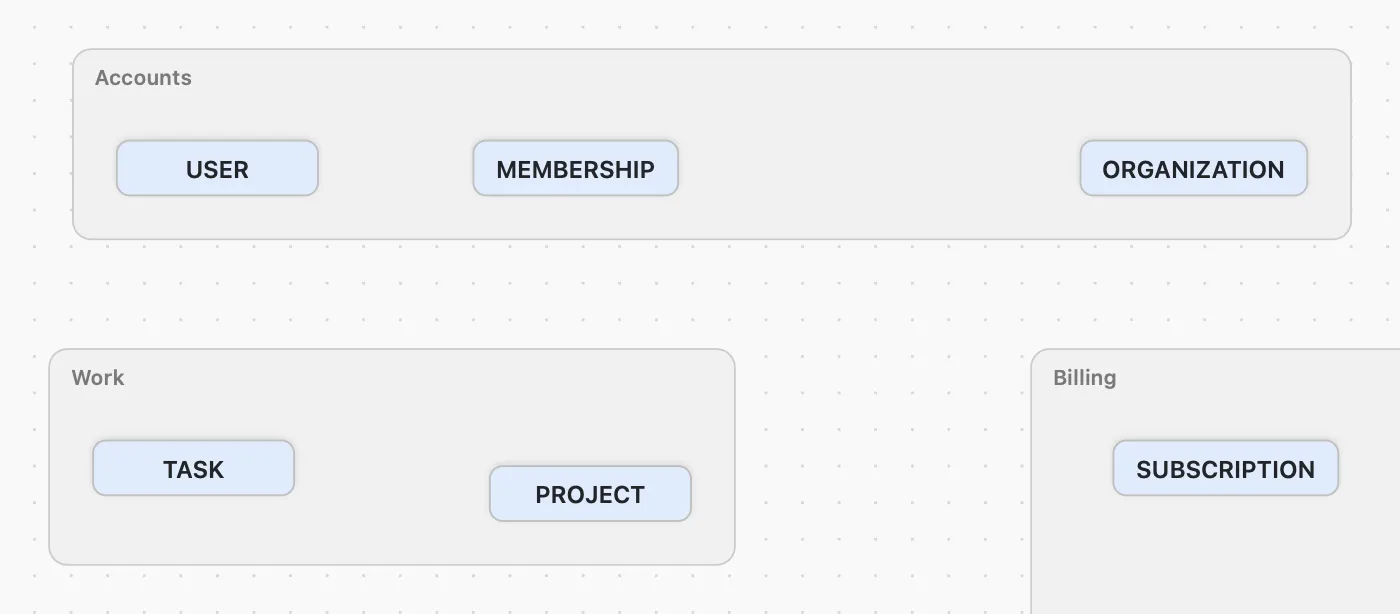
⌘1 Entities
The big picture: every entity, nothing else.
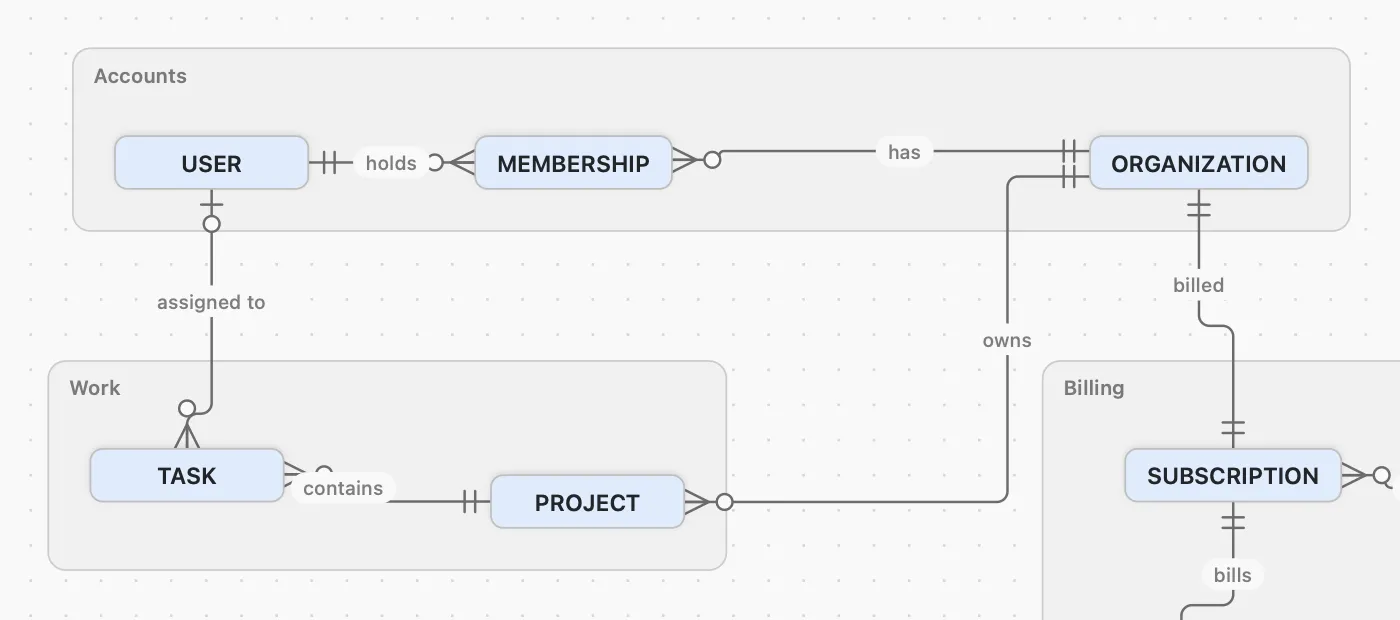
⌘2 Relationships
Add the lines, with crow’s-foot ends and labels.
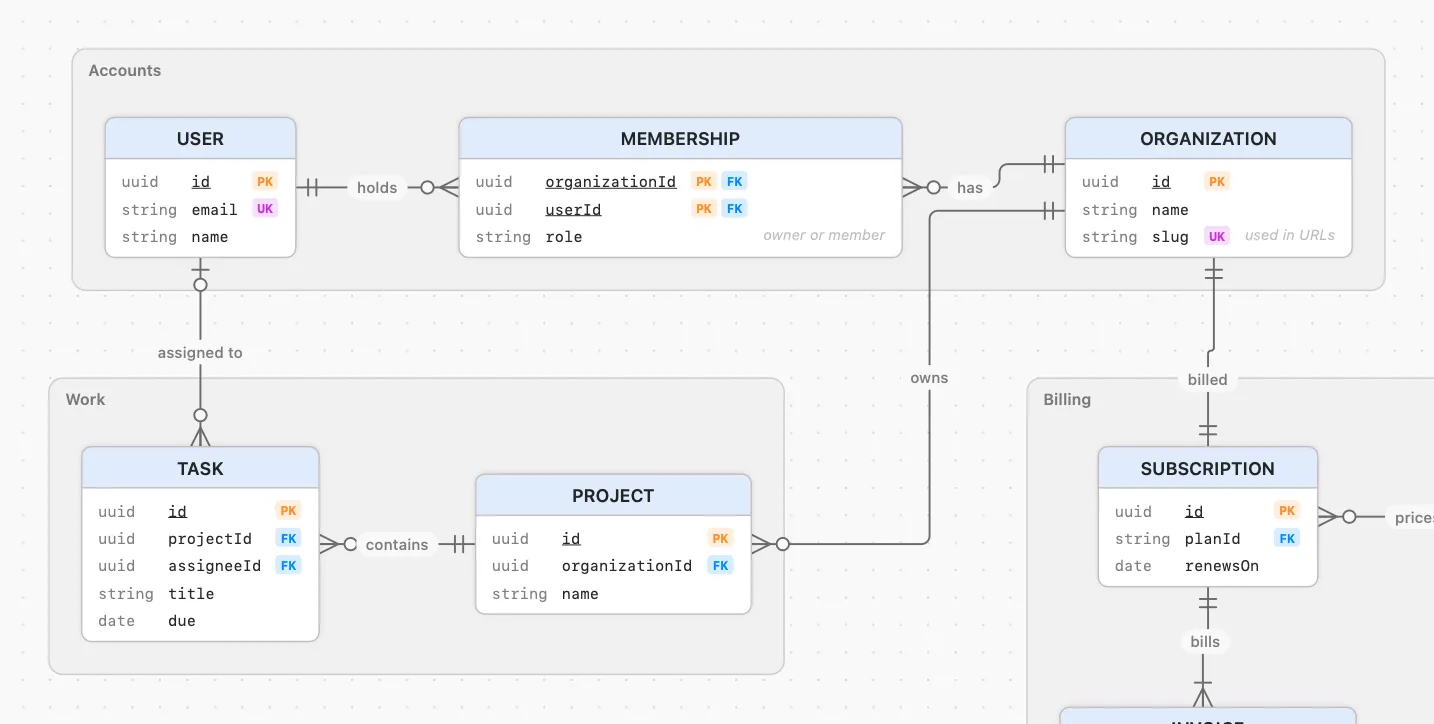
⌘3 Attributes
Every column, with its type, keys and comment.
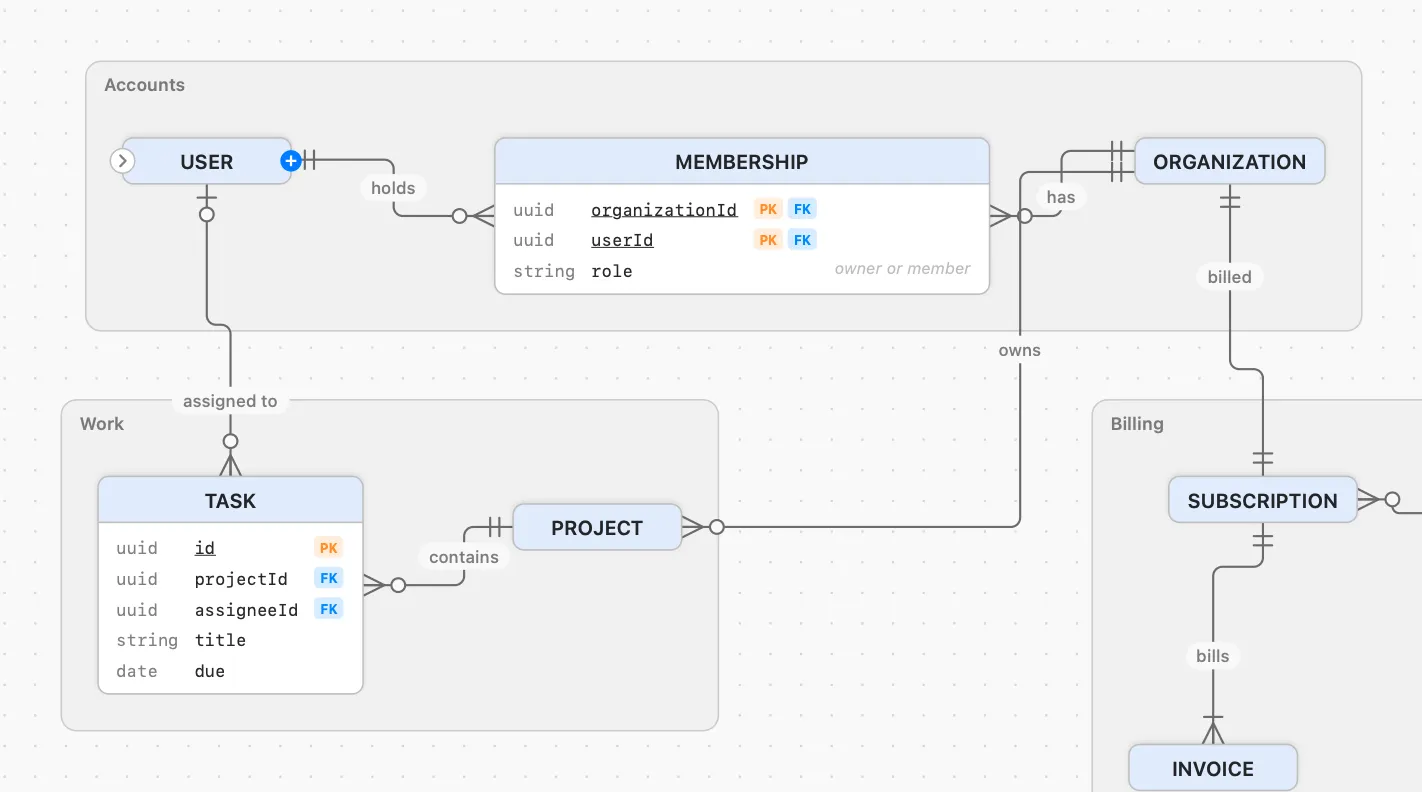
Expand just the entities you’re working on
In a compact view, open one entity’s attributes with the button on its title, or a whole selection from the menu. In the full view, collapse the ones you’re not thinking about.
Export
Ready for your docs and slides
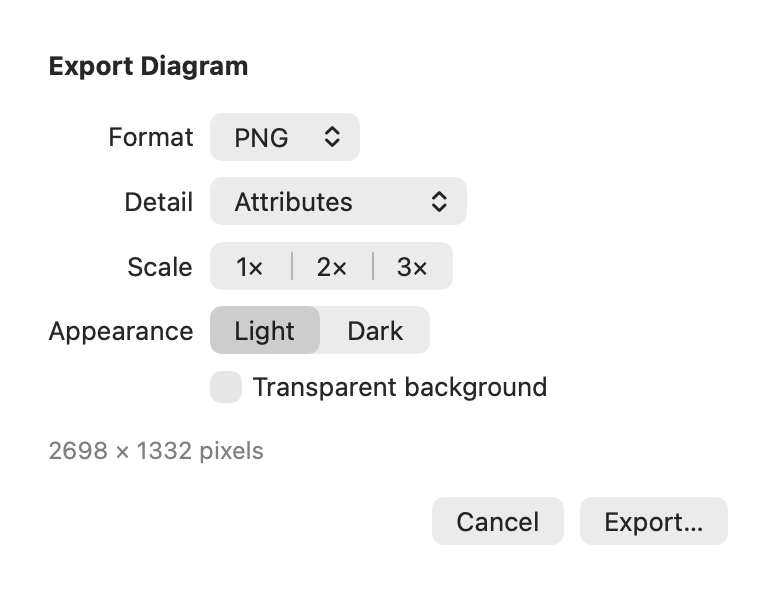
Export PNG at up to 3×, PDF or SVG, in light or dark, at any level of detail, with a transparent background if you need one. SVG keeps the exact layout and text widths, so it looks the same in every browser.
Or skip the image: the Mermaid itself is the diagram, and it renders on its own.
And everything else you’d expect
Diagrams inside your docs
Open a Markdown file and edit the ER diagrams in its mermaid code blocks. Several in one file? Pick one from the title bar. The rest of the document is never touched.
Clean relationship lines
Lines route around entities and groups with right-angle bends, attach at the nearest side, spread out where several meet, and keep their labels clear.
Arrange in seconds
Select several entities to move, align or distribute them together, or let automatic layout arrange the whole diagram, group by group.
Copy and paste as Mermaid
Copied entities are plain Mermaid text, with their relationships and positions. Paste them into GitHub or Notion, or paste Mermaid from anywhere into Twofold.
One undo for everything
Typing and drawing share one history. Undo a drag, then undo the text you typed before it, in order.
Quick Look
Press Space on a Mermaid file in Finder to see the diagram, drawn by the same code as the app.
Light and dark
The editor, the canvas and every export follow your Mac’s appearance, or the one you choose.
Fast with big schemas
Hundreds of entities stay smooth to scroll, zoom and drag, with lines re-routed as you move.
Private by design
A native Mac app that works offline. Your diagrams stay on your Mac, in files you own. No account and no cloud.
No lock-in. It’s just Mermaid.
Twofold saves standard Mermaid, in a .mmd file or in a Markdown code block. Canvas positions go after the diagram as Mermaid comments, which every other renderer ignores. Commit it, diff it, review it, and open it anywhere.
…
    subgraph billing [Billing]
        PLAN ||--o{ SUBSCRIPTION : prices
        SUBSCRIPTION ||--|{ INVOICE : bills
    end

%% @layout: node positions for the visual editor (ignored by Mermaid)
%% @pos 60 90 USER
%% @pos 318 90 MEMBERSHIP
%% @pos 760 90 ORGANIZATION
One price. Yours to keep.
$39 one-time purchase
- Every feature, with no tiers or add-ons
- Use it on up to 3 Macs
- Try it free for 14 days
- No subscription and no account
Download it and try everything free for 14 days, then buy inside the app.
Black Friday launch week: 50% off, $39 $19.50, with the code LAUNCHWEEK, until Monday 30 November.
Questions
Will my diagrams render on GitHub and in my docs?
Yes. Twofold saves standard Mermaid, so diagrams render wherever Mermaid does: GitHub, GitLab, Notion, Obsidian, and docs sites such as MkDocs and Docusaurus. The one exception is groups: they’re Mermaid’s own subgraph, which needs Mermaid 11.17 or later, so a diagram that uses them renders only where Mermaid is up to date.
Where does the layout go?
After the diagram, as %% comment lines, which Mermaid ignores. A diagram looks the same in Twofold every time you open it, and nowhere else is affected. Group boxes fit around their entities, so they add nothing to the file.
Will Twofold reformat my text?
No. When you edit on the canvas, Twofold changes only the lines that edit affects, so your comments, blank lines, ordering and indentation stay as you wrote them. While the text has a syntax error, visual editing pauses rather than overwrite what you’re typing.
Which kinds of Mermaid diagram does it edit?
Entity-relationship diagrams (erDiagram), with the full syntax: every cardinality form, aliases, attribute keys and comments, style classes, directions and groups. Twofold is built to do that one kind of diagram well.
What happens when the free trial ends?
Your diagrams stay yours. Without a license, Twofold still opens, shows, copies and exports them; only editing needs a license. Buy inside the app or enter a license key at any time.
How many Macs can I use it on?
A license covers up to 3 Macs. To move it to another Mac, deactivate it on one you no longer use.
Is Twofold on the Mac App Store?
It’s on its way. The App Store version is the same app: free to download with the same 14-day trial, then unlocked with a one-time in-app purchase, and it goes with your Apple Account to every Mac you use. The two are sold separately, though: a license from this website doesn’t unlock the App Store version, and an App Store purchase doesn’t unlock this one. Your diagrams work in both.
Does it need an internet connection?
No. Twofold works offline. It checks your license with the server now and then, and keeps working for days without a connection in between.
What do I need to run it?
A Mac with macOS 15 Sequoia or later.
Try Twofold free for 14 days
No account and no credit card. Your diagrams stay plain Mermaid whatever you decide.
Free for 14 days, then $39 once. macOS 15 or later.